Total leads
Track how many leads your experiment generated.
Track the Lead generated event to feed data into this widget.
This chart shows the total number of leads generated, broken down by each variant of your experiment.
A lead typically refers to a user who has demonstrated an interest in your product or service by performing a particular action, such as filling out a form, requesting a quote, signing up for a newsletter, or registering for a waiting list.
This metric helps you understand how the variants in your experiment are influencing lead generation.
Metrics
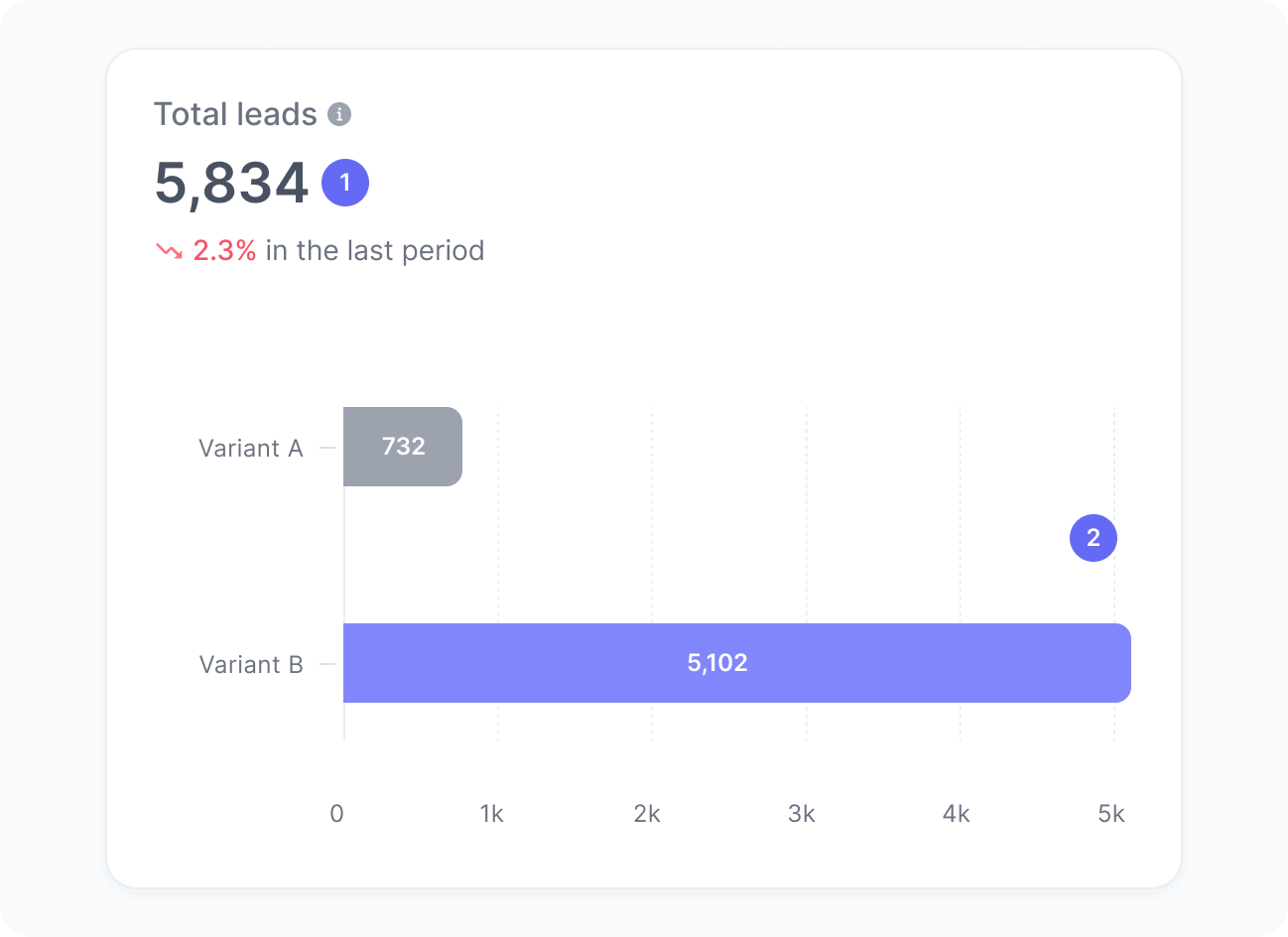
The chart includes:
- Total leads
The number of leads generated during your experiment. - Leads per variant
The number of leads generated by users who were impacted by each variant in your experiment.
Interpretation
This chart helps you understand how many leads your experiment is generating and how each variant contributes to that result.
This metric is especially useful when assessing whether a new layout, message, or call to action in a given variant is more effective at driving users to complete key lead-generation actions. For example, if Variant B introduces a simplified form or clearer value proposition, you can track whether the total number of leads increases among users assigned to that variant.
What the number tells you
Here are some common insights you can get from this widget:
- A rising lead count for a given variant suggests that the version shown to that group is influencing user behavior positively and helping more visitors convert.
- A decline or consistently low count for a given variant may point to issues with the content, audience alignment, or form flow in that variant, signaling an opportunity for refinement or further testing.
- Similar lead counts across variants may indicate that the differences between versions are too subtle to influence decisions.
- Sudden spikes or drops in leads generated might be linked to external factors, such as campaigns, traffic changes, or seasonal trends affecting the experiment.