User profiles
Get visibility into the visitors of your applications.
The user profiles feature displays a list of users who browse your applications, along with each user’s detailed profile, sessions, and events timeline.
This view helps you understand an individual visitor’s journey over time. You can see the pages they browsed, the elements they interacted with, whether they completed goals, and how their behavior evolved across sessions.
The list also shows live visitors in real time as new events come in:
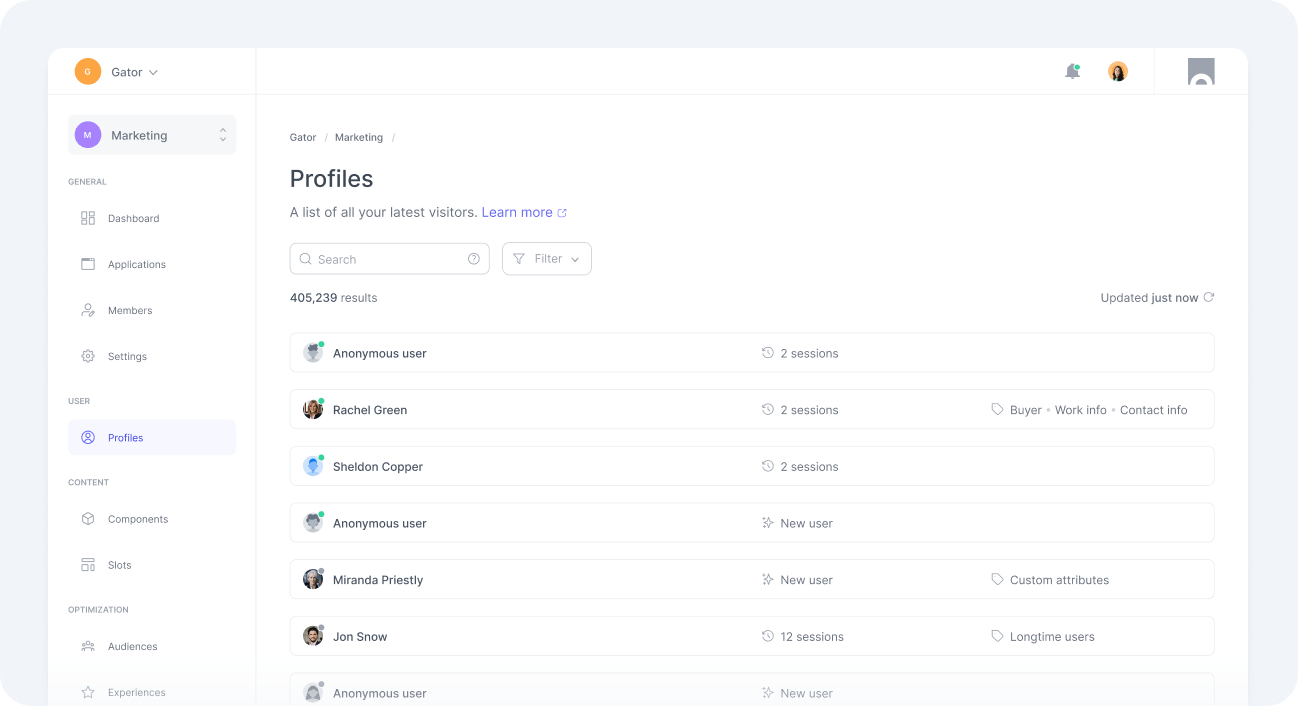
A session stays marked as live for up to 10 minutes after its most recent event.
Identification
Users can be classified as anonymous or identified.
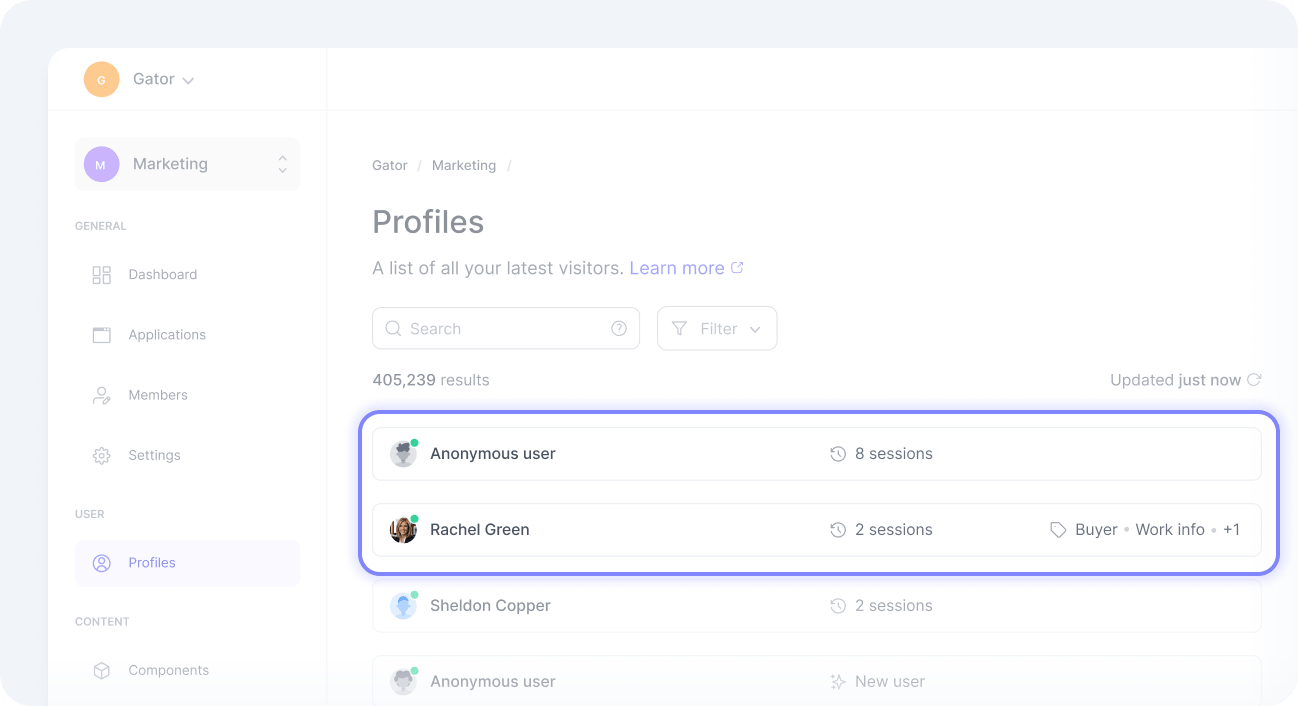
An anonymous user is a visitor whose identity has not been shared with the platform. Your application can identify a user, typically after they log in or sign up. From that point on, their activity is associated with the identified profile until your application anonymizes them.
All users are anonymous by default. To identify or anonymize a user, track user account events or call the SDK’s identify or anonymize methods.
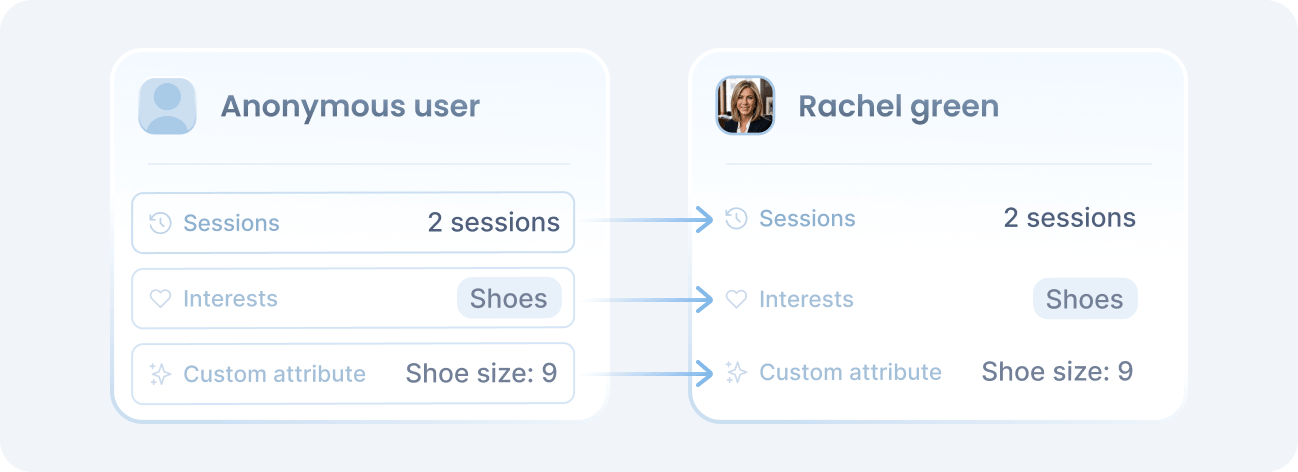
When your application identifies a user, the data collected on the anonymous profile is merged into the identified one. This preserves continuity, connecting activity from before identification with behavior afterward.
After they log out, they return to their previous anonymous profile. The reverse merge does not happen: data tracked while the user is identified stays out of the anonymous profile, protecting their sensitive information.
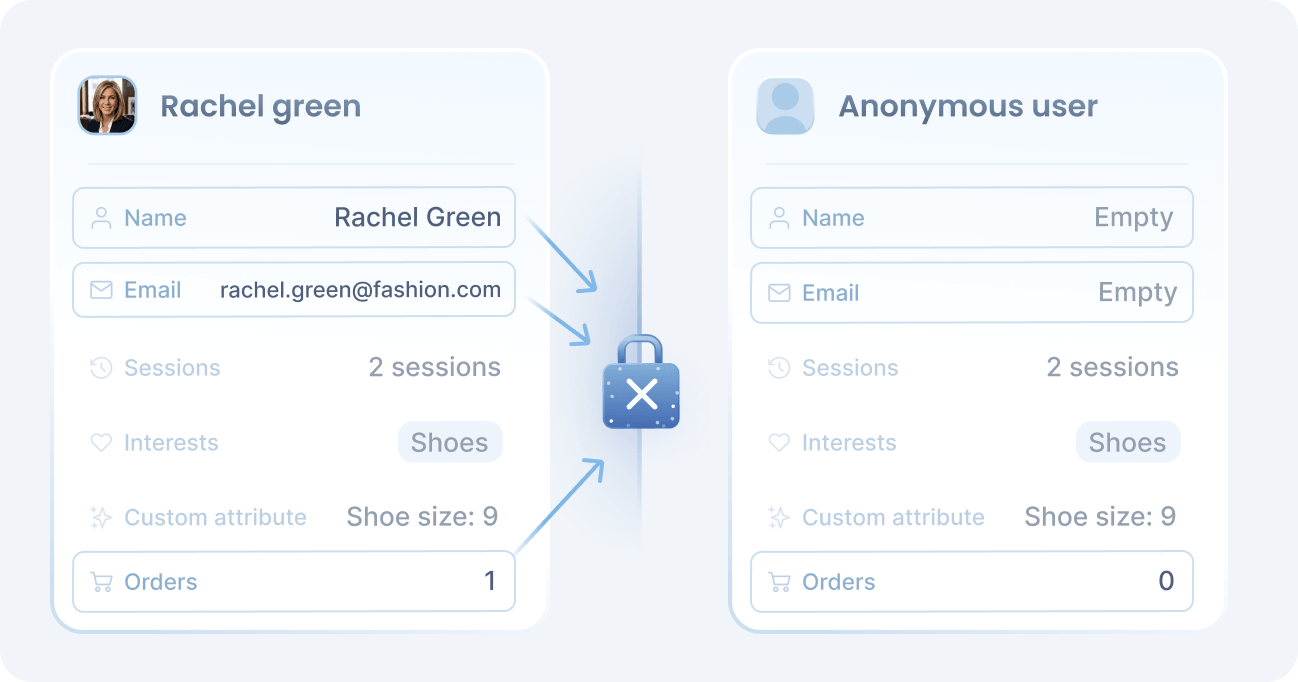
To preserve this privacy boundary, anonymous and identified profiles of the same person are counted as two different users. To connect the separate profiles the same person creates across devices and workspaces, see identity resolution.
User tags
Throughout the UI, both in the list and inside individual profiles, tags give you a quick read on each user.
Some tags rely on anonymous information and are available without any setup. Others depend on events you must track first. See the attributes list for which events to track.
In the table below, marks tags that require event tracking, and marks tags available only for identified users.
| User tag | Description | |
|---|---|---|
| New user | A user who has only one session. | |
| Returning user | A user who has more than one session. | |
| Longtime user | A user whose first visit occurred more than 60 days ago. | |
| Work info | A user with known work information, such as company name. | |
| Contact info | A user with known contact details, such as email or phone. | |
| Buyer | A user who has placed at least one order. | |
| Custom attributes | A user with at least one custom attribute. |