Filters
Learn how to filter user profiles.
In the user profile list, you can apply filters to narrow down which profiles appear and focus on specific characteristics or audiences.
Besides using tags, you can also search for specific profiles by email address or user ID. For example, searching for john or @company returns users whose email or user ID matches that value.
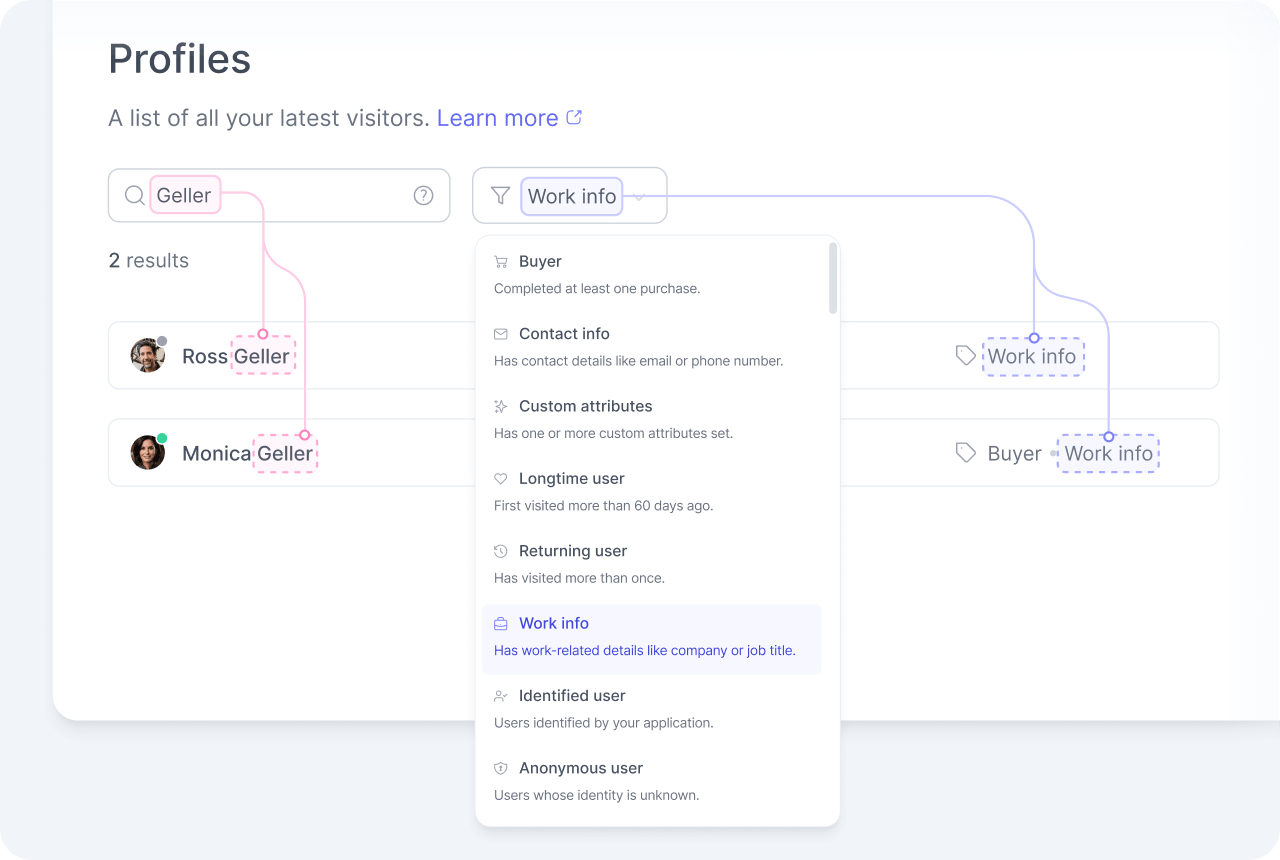
The filter dropdown lists every user tag, along with other options such as anonymous and identified. Select one or more to narrow the list. For example, combining buyer with returning user focuses the list on returning users who have placed at least one order.
Tracking required
Some quick filters rely on events that are not automatically tracked. See the attributes list for which events to track.