Anonymity scope
Control how your application recognizes anonymous users across sessions and applications.
Anonymity scope defines how your application recognizes anonymous users across sessions and applications. Choosing the right scope lets you balance user tracking with your privacy and data management requirements.
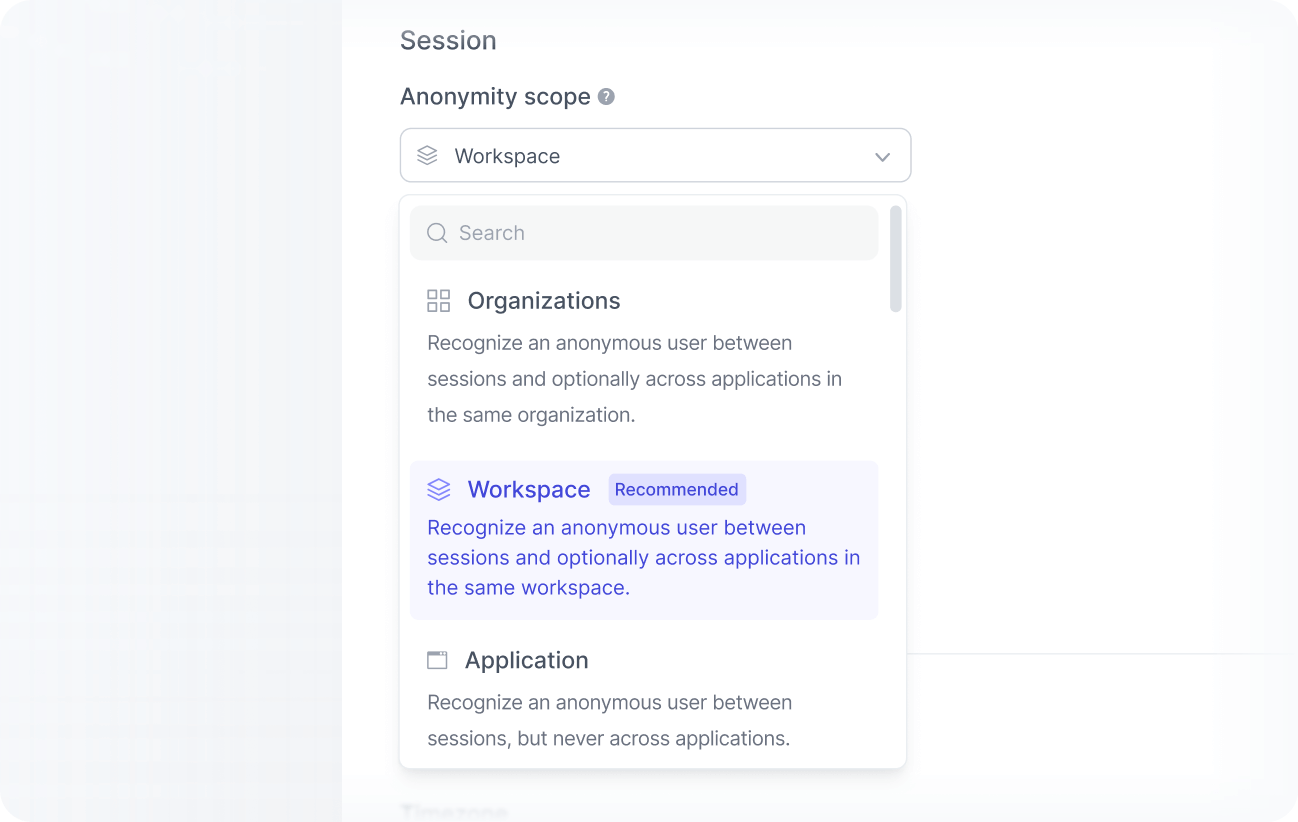
Anonymity scope levels
You can choose from three anonymity scopes:
-
Application
Recognizes anonymous users only within the same application and across sessions. Users are never recognized across different applications. This is the default for development applications. -
Workspace
Recognizes anonymous users across sessions and across all applications within the same workspace. This is the recommended option for most use cases and the default for production applications. -
Organization
Recognizes anonymous users across sessions and across all applications in the entire organization.
Anonymity scope applies only to anonymous users. Identified users are always recognized by their unique identifier, regardless of this setting.
To recognize identified users across workspaces in the same organization, you must enable identity resolution. Contact sales for more information.
How to change the scope
To change your application’s anonymity scope:
Go to Application settings.
Scroll to the Anonymity scope section.
Select your preferred scope.
Review the warning and click Continue anyway to confirm.
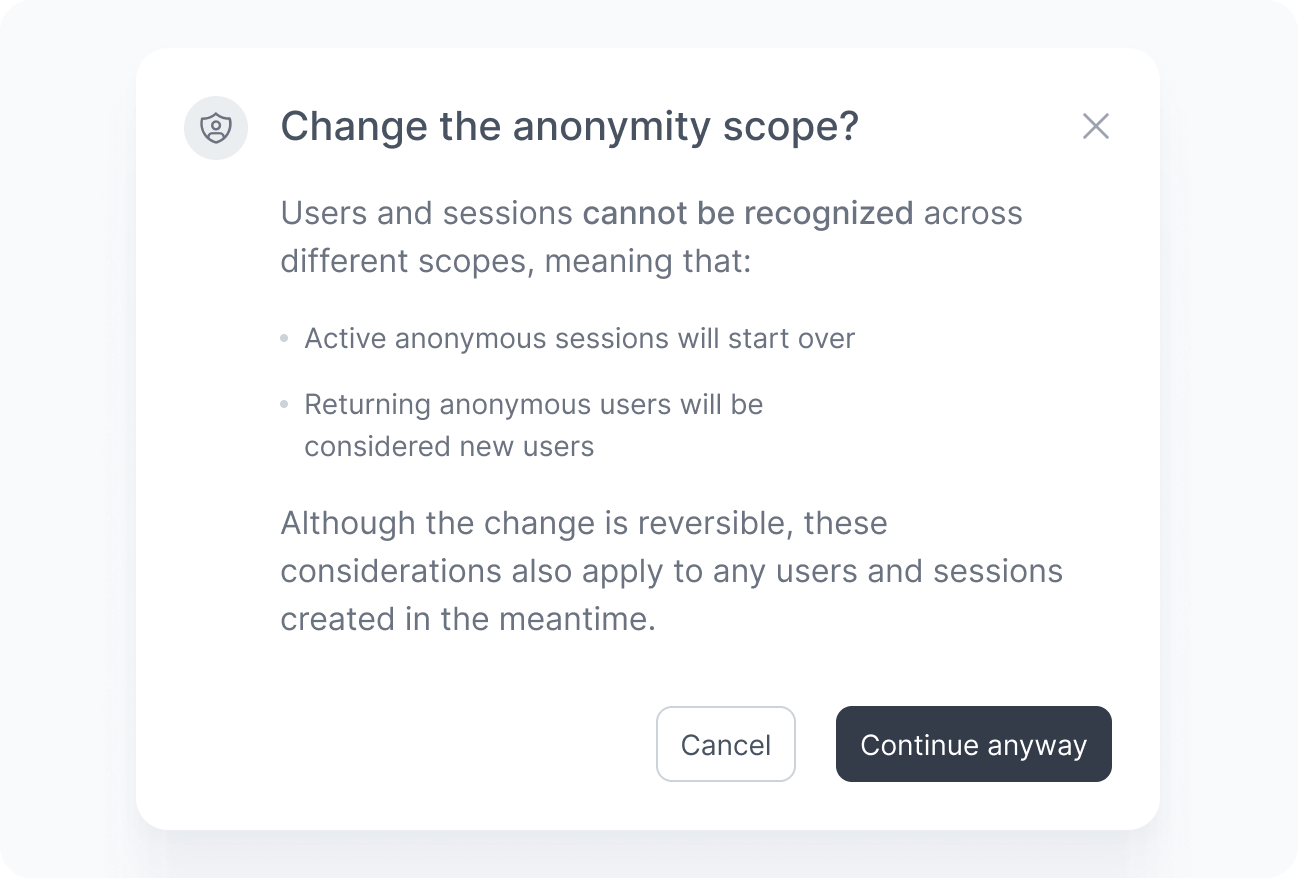
Impact of scope changes
Review the implications below before changing the anonymity scope, as changes take effect immediately and may affect how users are recognized.
Users and sessions are not shared across different scopes. When you change the anonymity scope:
- All active anonymous sessions are restarted.
- Returning anonymous users are treated as new users.
- Historical data is preserved, but users are no longer linked to their previous anonymous profiles.
You can revert the change later, but users and sessions created under the new scope will also be affected when switching back.