Sign-up conversion rate
Understand how effectively your application converts visitors into registered users.
Track the User signed up event to feed data into this widget.
This chart displays the percentage of sessions that resulted in a sign-up across your entire application. It provides a global view of how well your site encourages users to create an account, helping you evaluate the performance of your registration flow at scale.
We count a sign-up every time your application sends a signup event, usually when a user creates a new account.
Metrics
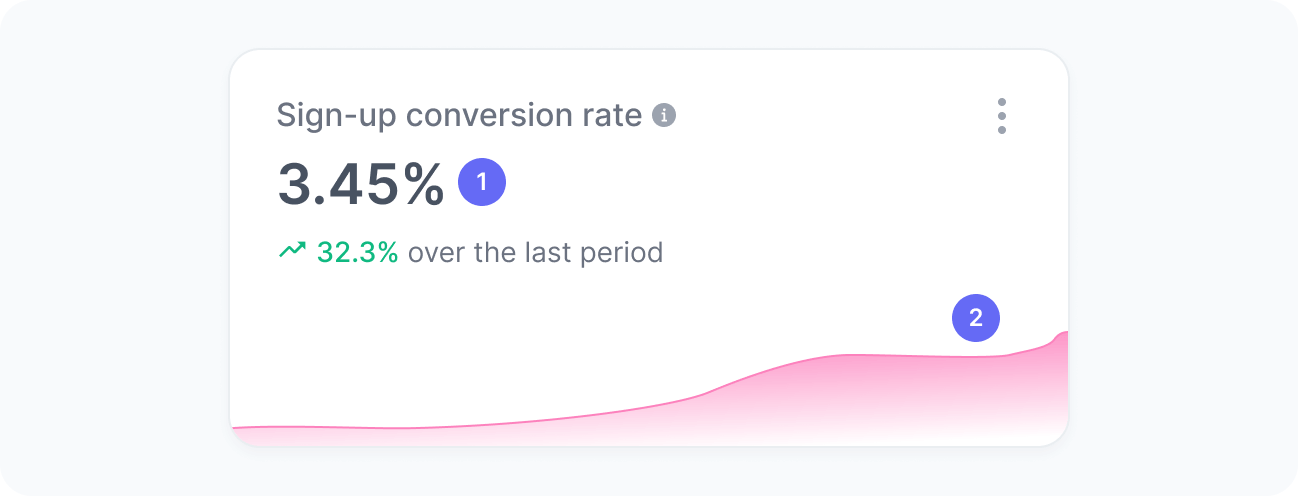
The chart includes:
- Sign-up conversion rate
The percentage of total sessions that resulted in a new account. - Sign-up conversion rate over time
A trend chart showing how this conversion rate changed over time.
Interpretation
Imagine your application had 10,000 sessions during the selected period. Out of those, users in 200 sessions created a new account. This means your sign-up conversion rate is 200 divided by 10,000, resulting in a 2% conversion rate.
We calculate this metric using the formula:
What the number tells you
Here are some common insights you can get from this widget:
- An increasing conversion rate suggests that your registration flow, value proposition, and onboarding messaging are effectively motivating users to sign up.
- A decreasing conversion rate may indicate growing friction (e.g., too many form fields), reduced clarity, or changes in traffic quality that affect user motivation to register.
- Monitoring the trend over time helps you understand how changes in acquisition, UX, content, or product features impact your ability to convert visitors into registered users.