Priority
Learn how priority determines which experience is shown when audiences overlap.
A single user may qualify for multiple experiences at once. For example, a visitor could match both First-time visitors and Mobile users audiences. When audiences overlap, priority determines which experience is shown.
Higher-priority experiences override lower-priority ones when they target the same slot. This ensures that your most important, strategic, or time-sensitive content always takes precedence.
How it works
Each experience has a unique priority rank. No two experiences can share the same priority, so changing the rank of one experience will shift the others accordingly.
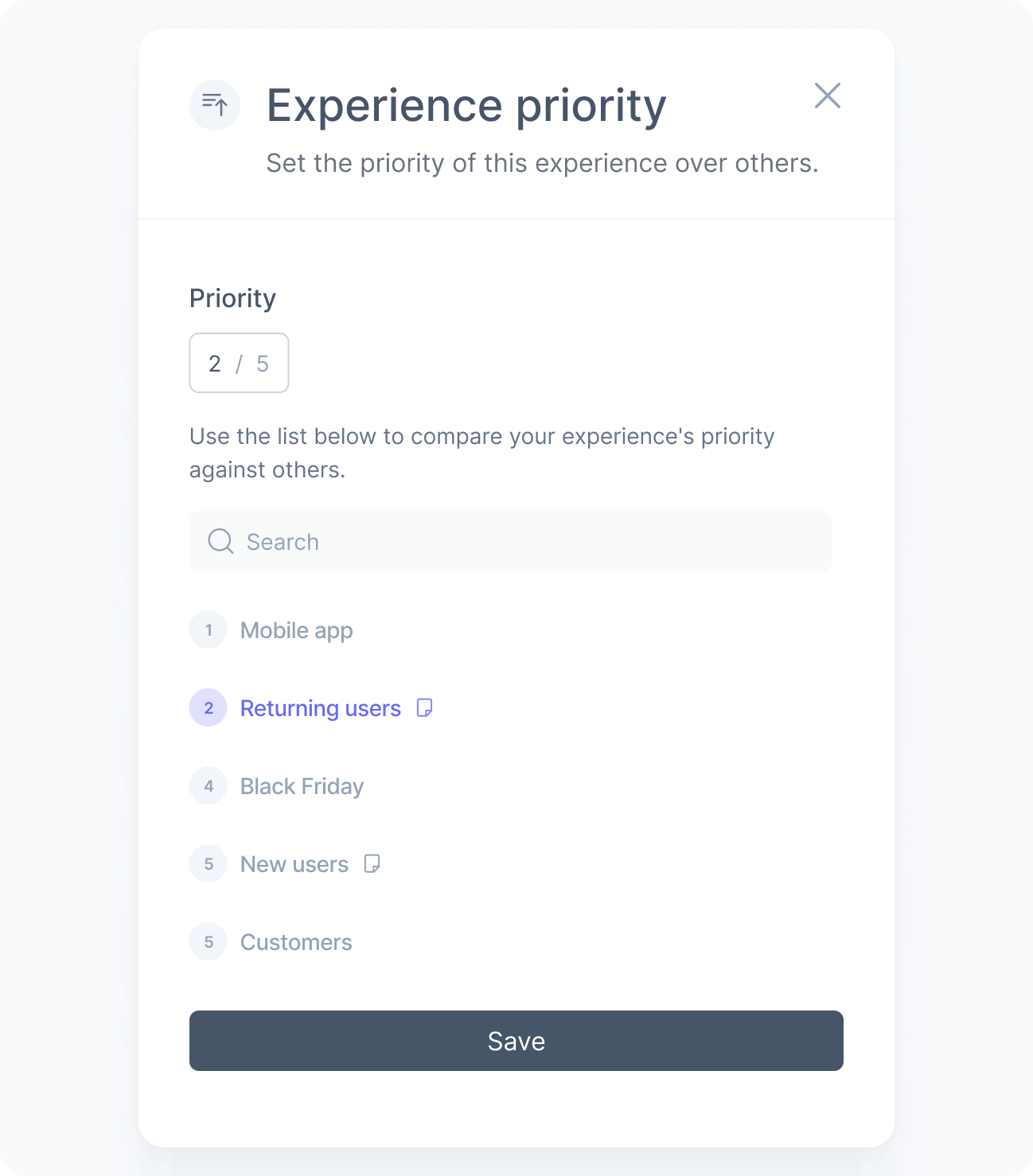
The priority preview gives you an overall view of how your experiences are ranked, helping you visualize the order in which they will be evaluated. Experiences marked with a paper icon still have draft changes and are not yet live.
How to update
To change the priority of an experience:
Open the experience you want to reprioritize.
In the priority section, type the desired rank in the input field. The number represents the position relative to all other experiences.
Use the list below to compare the updated rank against the other experiences and confirm the new order.
Save and publish the changes.
Keep in mind that because no two experiences can share the same rank, changing the priority of one experience will automatically shift the others to accommodate the new order.