Draft changes
Learn how to review and publish draft changes to your experiences.
Changes to an experience are saved automatically but not published right away. Until you publish, every change can be reviewed and discarded individually, giving you full control over what goes live.
Review process
Each panel of the experience that has pending changes displays an orange dot. This gives you a quick visual indicator of exactly which sections have been modified since the last publish.
Hovering over the dot reveals a summary of what has changed. From there, you can review and discard individual changes before publishing.
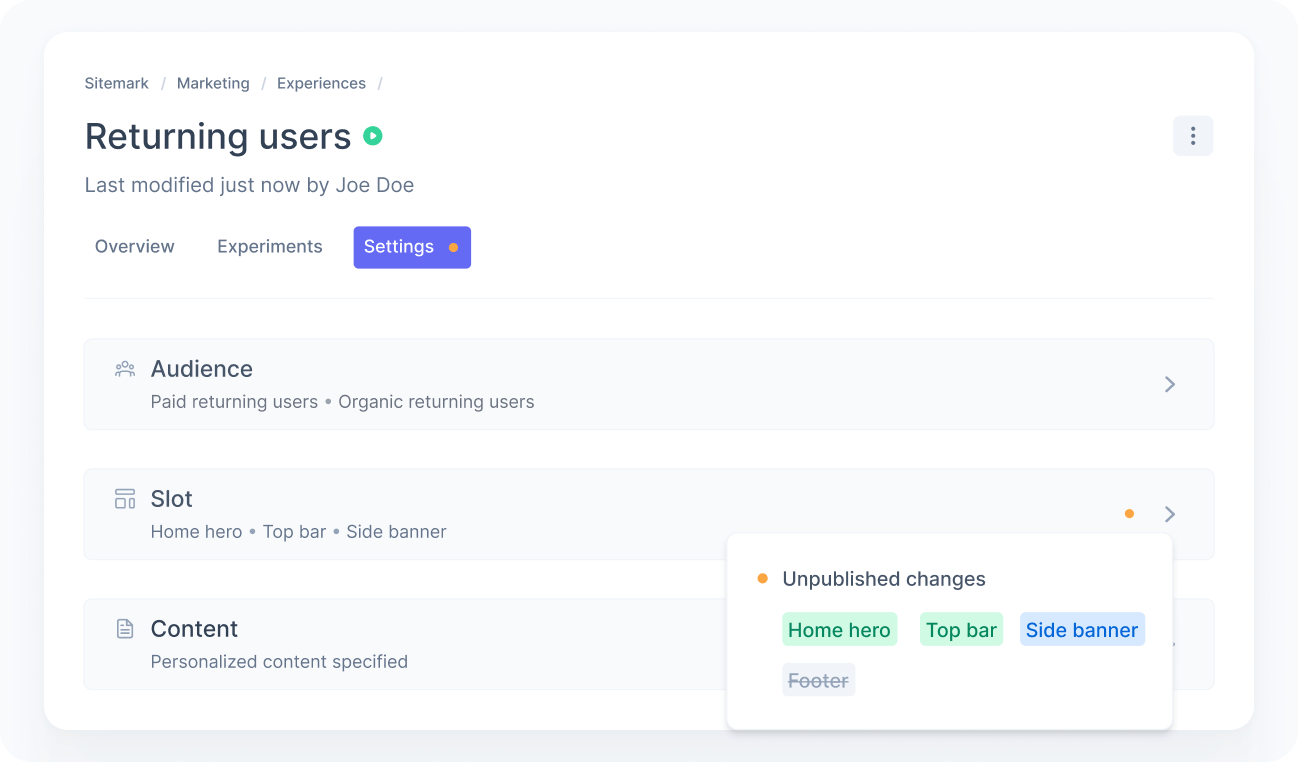
Each item is color-coded to help you understand the type of change at a glance: green for additions, blue for modifications, and gray with strikethrough for removals.
Publish and schedule
Once you have reviewed the changes, you can publish them to make them live. You can also schedule when the changes go live instead of publishing right away. This applies to starting or pausing an experience, as well as any content or settings you have saved as a draft.
For more details on how scheduling works, check Scheduling.