Installation
Learn how to integrate Croct into your PHP project.
The following guide gives you a step-by-step overview of how to install and initialize the SDK in your project.

The CLI can fully automate the integration process for you. Check out the integration guide to get started faster.
Install the SDK
Install the SDK using Composer:
composer require croct/plug-phpThe SDK works with any PSR-18 HTTP client and PSR-17 factories, which it discovers automatically. If your project does not have a compatible implementation yet, install one:
composer require guzzlehttp/guzzle nyholm/psr7Initialize the SDK
Add your credentials to a .env file in your project root:
CROCT_APP_ID=<APPLICATION_ID>CROCT_API_KEY=<API_KEY>You can find the application ID and create an API key on the Integration page of your application.
Then set up the SDK and hand off to the browser so personalization continues transparently on the client side:
<?phpuse Croct\Plug\Croct;
$croct = Croct::fromDotenv();$content = $croct->fetchContent('home-banner')->getContent();Croct::emitCookies();?><!DOCTYPE html><html lang="en"><head>    <meta charset="utf-8">    <title>My application</title></head><body>    <h1><?= $content['headline'] ?></h1>    <p><?= $content['tagline'] ?></p>
    <script src="https://cdn.croct.io/js/v1/lib/plug.js"></script>    <script>croct.plug(<?= json_encode($croct->getPlugOptions()) ?>);</script></body></html>
The fromDotenv factory reads the credentials from your .env file and uses a cookie-based session store. Calling emitCookies writes the session cookies before any output, while getPlugOptions returns the configuration the JavaScript SDK needs to work transparently with the same session. For more details, see Client-side setup.
Check your integration
If you open your application now, it should start sending events.
To check if your integration is working, go to the Integration page of your application.
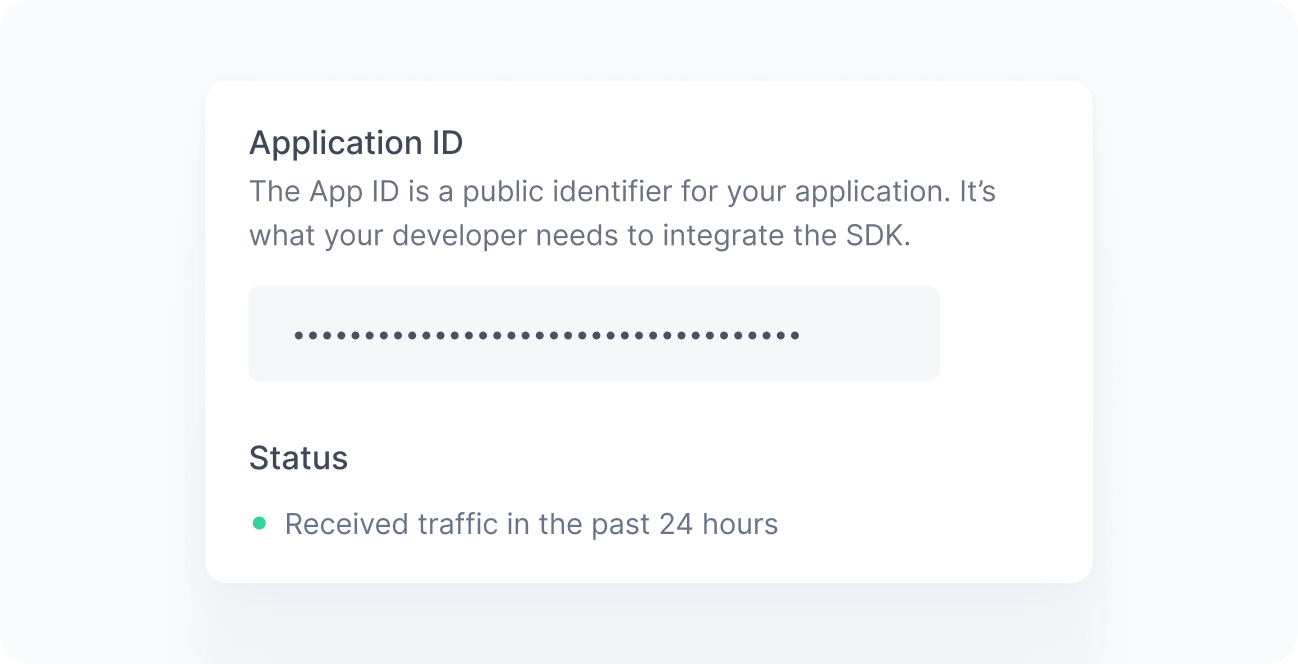
When working correctly, you should see a green bullet next to the Status label saying “Received traffic in the past 24 hours”. If you still do not see this message after a few minutes, see the Troubleshooting reference.